
Please open Back Office, go to Menu Details and click on Items.
Click on the 3 dots next Default Price field.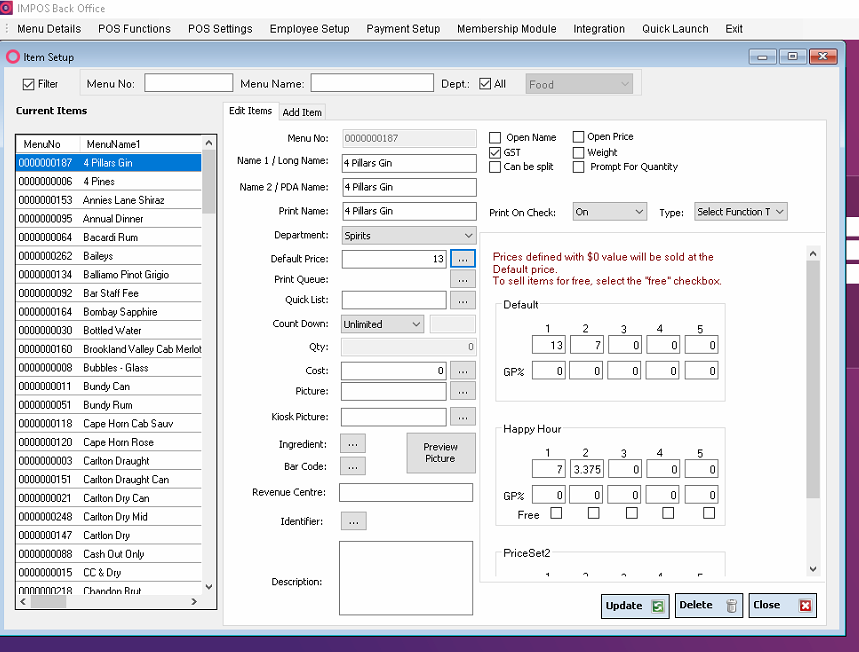
All the different price sets will show up here where you can update the item prices.
Once modified, click on Update to save the changes.
You can also update individual item prices from Front Office if you would like.
Please reach out to Impos Support team on customerservice@impos.com.au or 1300 780 268 for any further queries.