
Reverse Payment is to undo any order that has been cashed off.
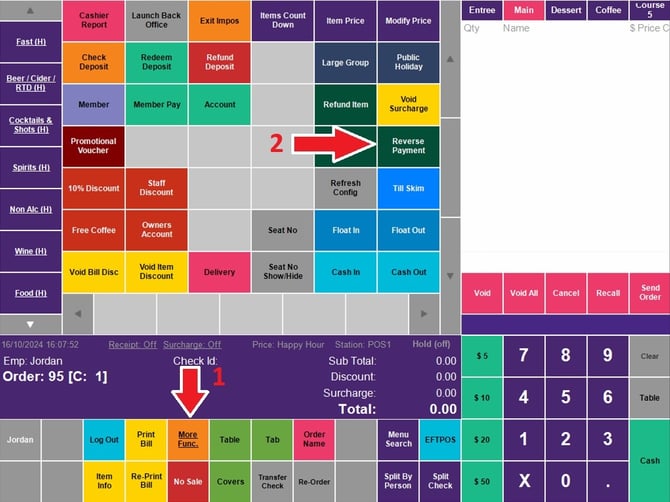
In order to use Reverse Payment, press the reverse payment button, located on the More Func. screen and select the desired check to be reversed.
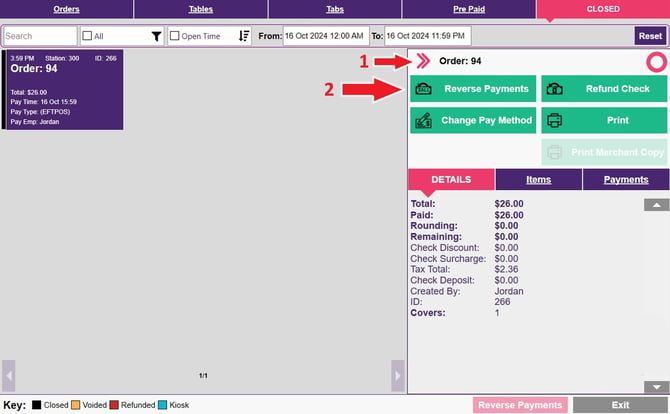
Hit the button at the bottom of Reverse Payment and a confirmation window screen will come up to show the payment has been reversed.
Click OK to confirm.
A pop up window will come up shows that the payment has been reversed.